Set a default value dynamically for an Afform field in an extension
Home > Developer Guide > Step by Step Guides
The challenge
In our extension we want to set a default value for a field on an Afform dynamically. We could in theory achiev this by changing the definition of the Afform but we want to do this in an extension.
The example
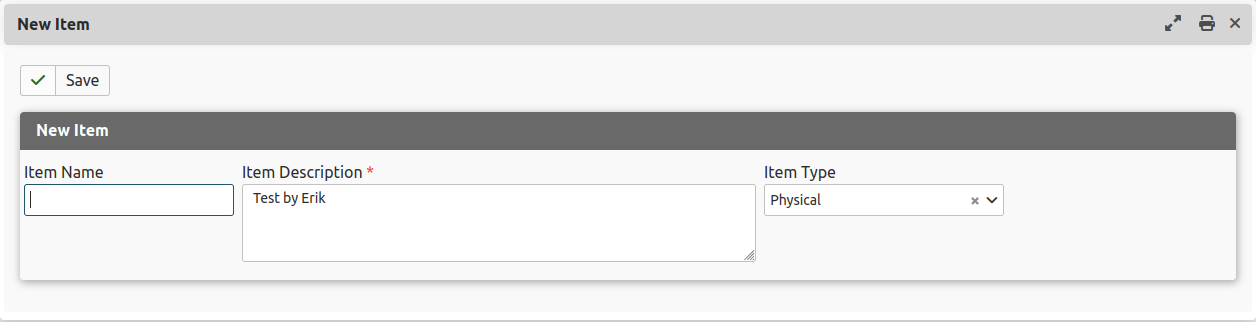
As an example we will look at the Simple Orders extension and do something to set a default in the new ehplay extension used specifically for these step by step guides. In this extension we will set a default for the description field on the form to add a new item from the Simple Orders extension which was built with FormBuilder.
On the form for a new item there are 3 fields: name, description and type (options, initially with values digital and physical)
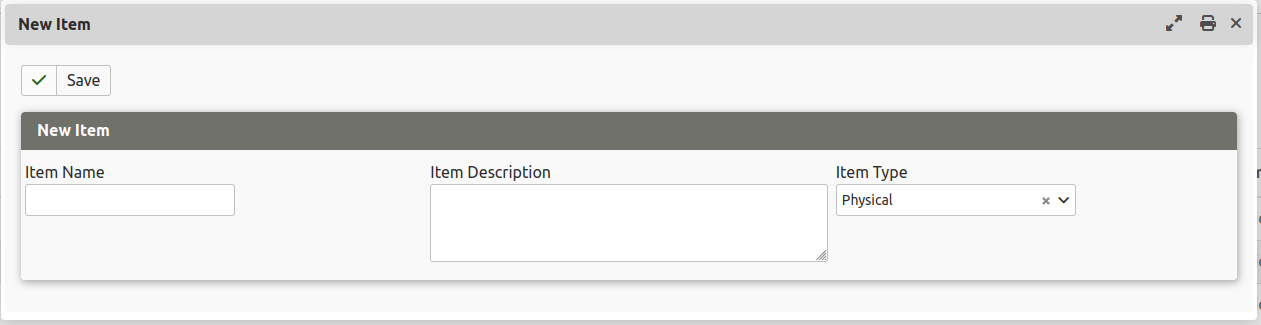
We want to add a default value to the description field in the form. Not really useful but it shows quite well what we want to achieve.
The solution
We will add a listener for the hook civi.api.respond (which is not officially documented) and add a static method to process on the event.
Add the listener and the respond method to set the default
We will add the listener and the method onApiRespond to the HookHandler class.
namespace Civi\Ehplay;

use \Civi\Core\Event\GenericHookEvent;
use \Civi\API\Event\RespondEvent;
use Civi\Core\Service\AutoSubscriber;

/**
 * Class to handle the CiviCRM hooks
 */
final class HookHandler extends AutoSubscriber {

  /**
   * @return array|array[]|\array[][]|string[]
   */
  public static function getSubscribedEvents(): array {
    return [
      'civi.api.respond' => ['onApiRespond', -30],
    ];
  }

  /**
   * @param RespondEvent $event
   * @return void
   * @throws \CRM_Core_Exception
   */
  public static function onApiRespond(RespondEvent $event): void {
    if ($event->getEntityName() == 'Afform' && $event->getActionName() == 'prefill') {
      $apiRequest = $event->getApiRequest();
      if ($apiRequest->getName() == 'afformNewItem') {
        $response = $event->getResponse();
        $response->exchangeArray([
          ['name' => 'SoItem1', 'values' => [['fields' => ['description' => 'Test by Erik']]]]]);
        $event->setResponse($response);
      }
    }
  }
!!! note "Using the civi.afform.prefill hook" In this step-by-step guide we use the undocumented hook civi.api.respond. Ideally we would use the documented hook civi.afform.prefill but at the time of writing the CiviCRM version 6.18.2 version we are using does not yet have the required methods in the civi.afform_prefill hook. There is a PR that introduces the required methods which we hope will be part of CiviCRM 6.20: PR 37255
The result